

-
Products
Overview Products

-
2D Cutting
-
Tube Cutting
-
3D Cutting
-
Intelligent Welding
-
Intelligent Cutting Head
-
Industrial Automation
-
Industrial Software
-
Combination
-
Combination
BOCHU New Product -
Combination
BOCHU New Product -
Controller
BOCHU New Product -
2D Cutting Head
Tube Cutting Head
3D Cutting Head
Consumables
BOCHU New Product -
Servo
BOCHU New Product -
Industrial 4.0
-
- Support
- About
- Online Store



品列表圖片_514x337.png)



品頁規(guī)格型號.png)

品列表.png)



- Software Download
- Manual
- Tutorial
- CloudNest
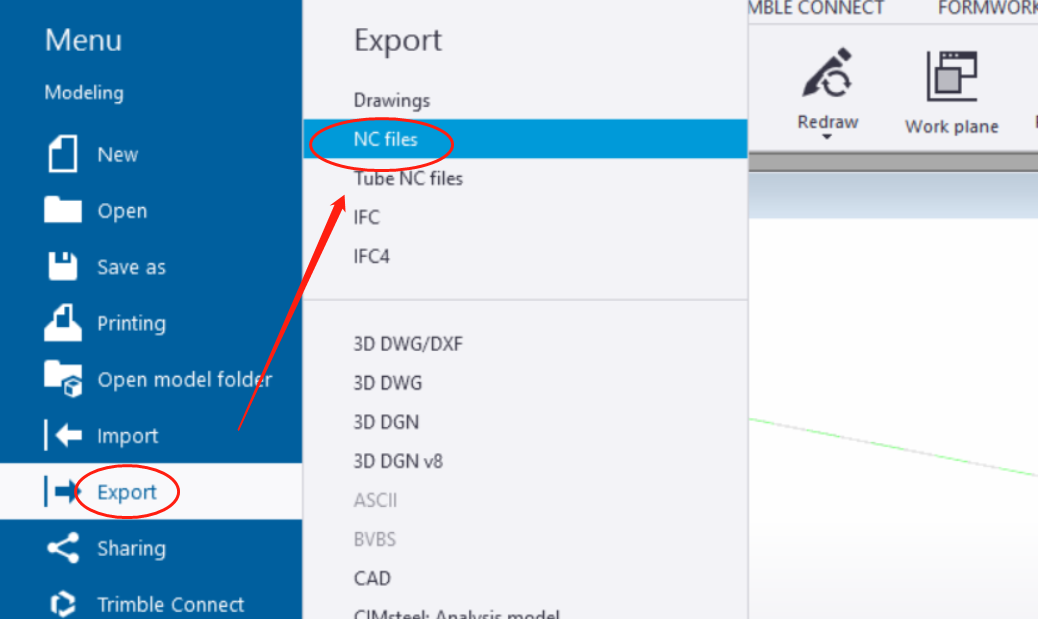
In Tekla, click 'Export' and select 'NC files'.
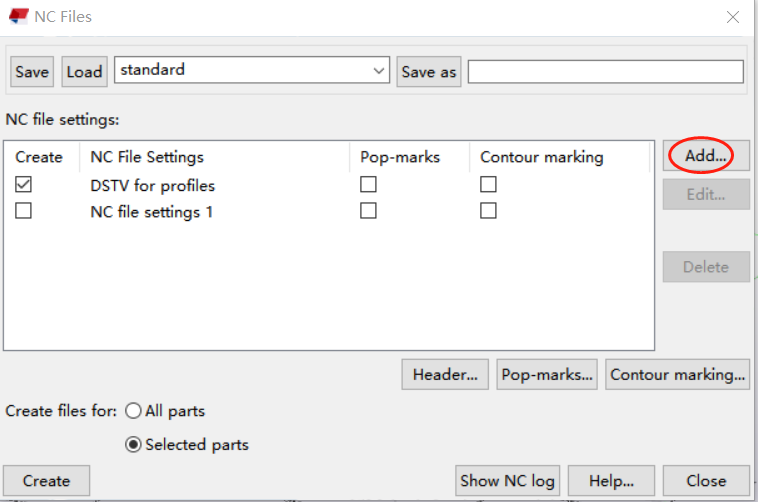
In the pop-up window, click 'Add' to create a new NC file setting.
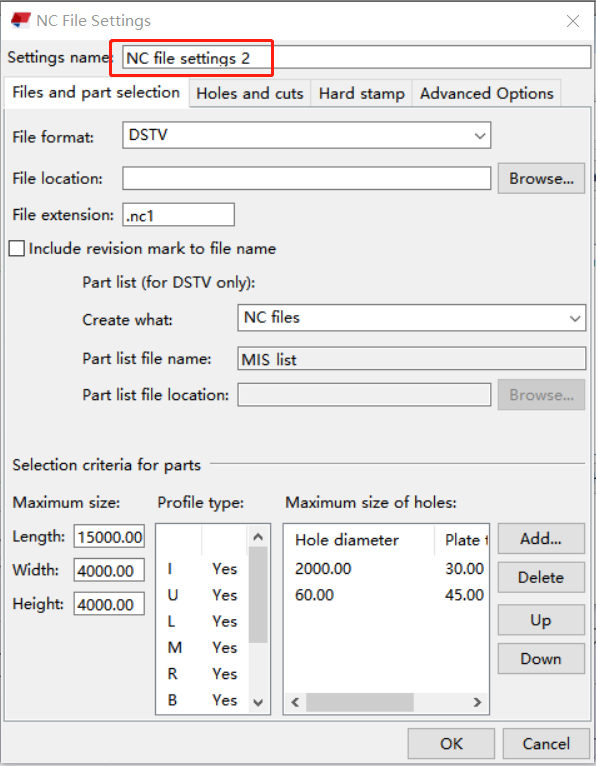
First, edit the Settings name for easy reference.
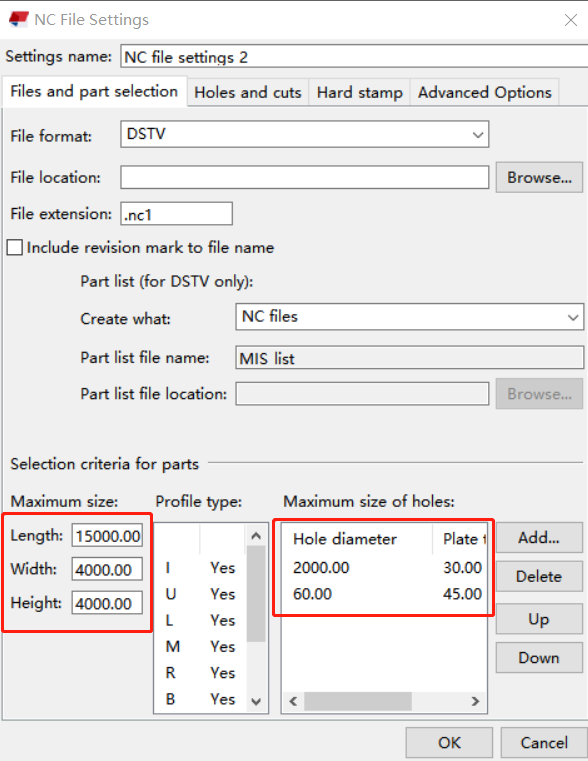
On the 'File and Part Selection' tab, select the interface type and click 'OK'.
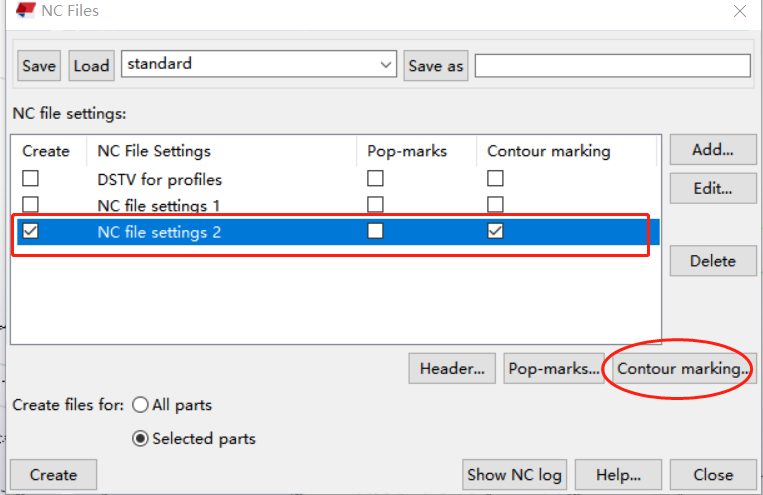
After closing the pop-up window, in the NC file settings list, select the newly created file setting, check 'Contour marking', and click the 'Contour marking' button to set the contour marking rules.
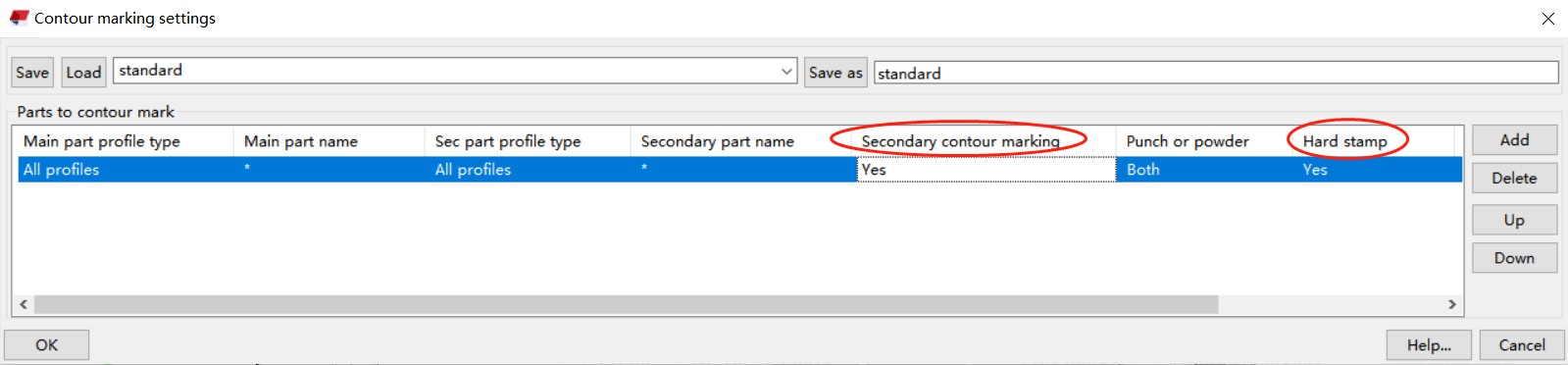
Configure the settings according to the following image. Select 'All profiles' for the 'Main part profile type'. If you want to display part markings in CloudNest, select 'Yes' for 'Secondary contour marking'. If you want to display marking numbers in CloudNest, select 'Yes' for 'Hard stamp', then click 'OK'.
更新時間:2023-09-11

In Tekla, click 'Export' and select 'NC files'.
In the pop-up window, click 'Add' to create a new NC file setting.
First, edit the Settings name for easy reference.
On the 'File and Part Selection' tab, select the interface type and click 'OK'.
After closing the pop-up window, in the NC file settings list, select the newly created file setting, check 'Contour marking', and click the 'Contour marking' button to set the contour marking rules.
Configure the settings according to the following image. Select 'All profiles' for the 'Main part profile type'. If you want to display part markings in CloudNest, select 'Yes' for 'Secondary contour marking'. If you want to display marking numbers in CloudNest, select 'Yes' for 'Hard stamp', then click 'OK'.
更新時間:2023-09-11

